
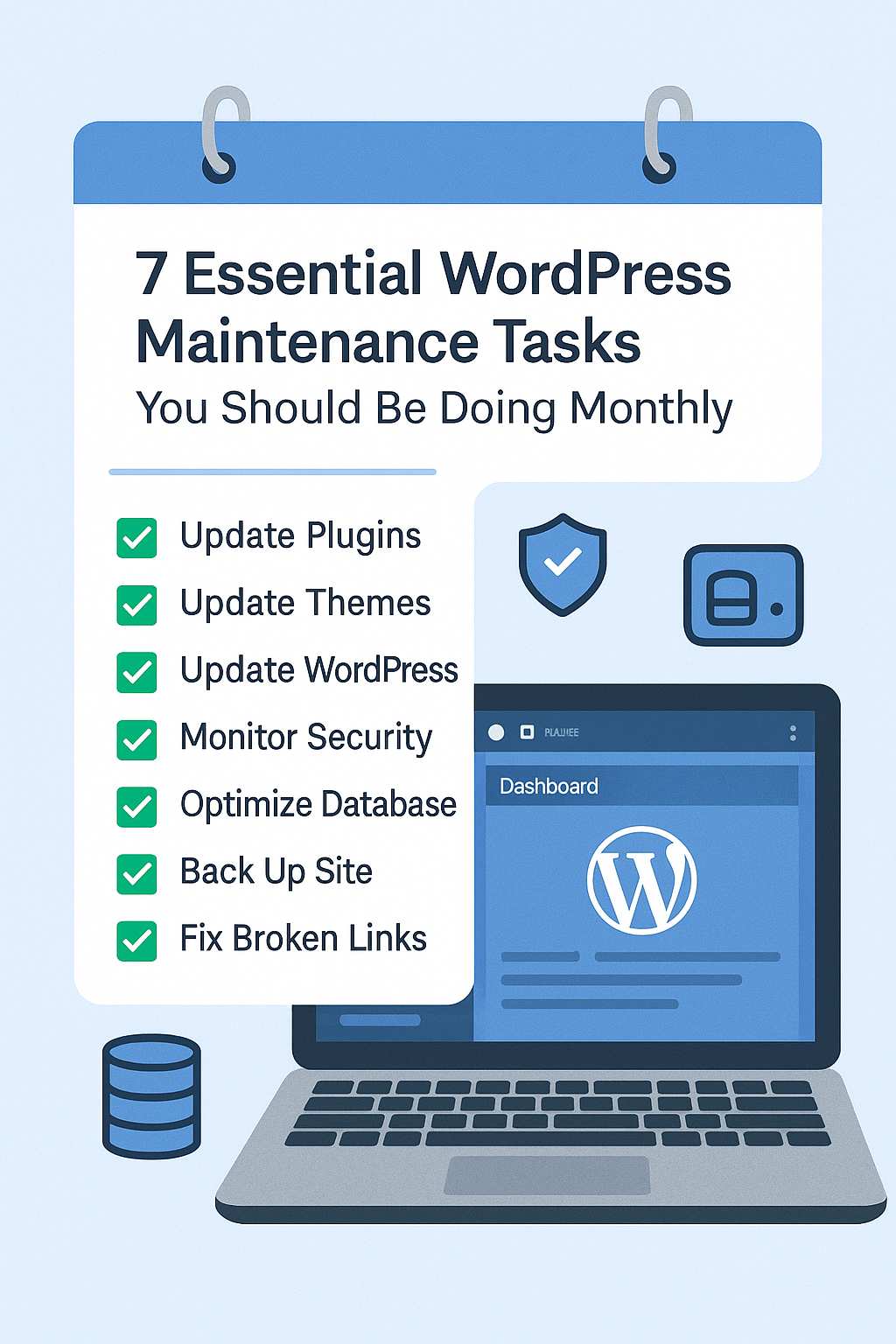
Keeping your WordPress site healthy isn’t a one-time task—it’s a monthly responsibility. Just like a car needs regular servicing to perform well, your website needs consistent maintenance to stay fast, secure, and reliable.
Here are7 essential WordPress maintenance tasks you should be doing every month to ensure your site stays in top shape. 👇
1. Update WordPress Core, Themes & Plugins 🔄
Keeping your WordPress installation, themes, and plugins up to date iscrucial for site security and performance. Outdated components are the most common entry point for hackers and can cause plugin conflicts or even site crashes.
Monthly updates help you:
- ✅Fix bugs that may be affecting your site’s performance or functionality
- 🚀Improve overall speed and stability by ensuring everything runs on the latest code
- 🔐Patch security vulnerabilities before they’re exploited by malicious bots or hackers
Before you hit “update,” don’t forget this golden rule:
👉Always perform a full backup of your site (files + database) before making any updates. This ensures you can roll back if something goes wrong.
Pro Tip:
Enable automatic updates for minor core updates and trusted plugins, but review major updates manually to avoid compatibility issues.
2. Perform Regular Backups 💾
Imagine losing all your site data in an instant—whether from a hack, server crash, or human error. Without a recent backup, recovery could be impossible. That’s whyregular backups are non-negotiable.
They act as your safety net, allowing you toquickly restore your site to its previous state.
🔁Recommended frequency:
- Monthly for low-traffic sites
- Weekly or daily for high-traffic or eCommerce sites
Trusted backup tools:
- 🛠️UpdraftPlus – Simple, free, and cloud-integrated
- 🔒BlogVault – Real-time backups and easy staging
- ☁️Jetpack Backup – Automated, offsite storage included
✅Pro Tips:
- Automate your backups
- Store themoffsite (Google Drive, Dropbox, S3, etc.)
- Periodically test your backup restore process
👉 A good backup strategy is the difference between disaster and peace of mind.
3. Run Security Scans 🔐
Security threats don’t knock—they break in.
Your WordPress site is constantly exposed to risks like malware, brute-force attacks, and malicious code injections. That’s why runningmonthly security scans is essential for early detection and fast resolution.
🛡️Use trusted security plugins like:
- Wordfence – Real-time firewall, login protection, and malware scanning
- Sucuri – Comprehensive security suite with monitoring and cleanup
- iThemes Security – Strong brute-force protection and file integrity checks
🔍 What to look for:
- Malware or injected scripts
- Suspicious admin logins
- Modified core files
- Unauthorized plugin/theme changes
✅Pro Tips:
- Enable email alerts for critical security warnings
- Review login attempts and IP lockouts regularly
- Keep your security plugins updated
👉Early detection = minimal damage.
Make security scanning a routine part of your WordPress maintenance.
4. Optimize Website Speed ⚡
A slow website doesn’t just annoy visitors—it kills conversions and tanks your SEO.
Today’s users expect pages to load inunder 3 seconds, and Google uses speed as a key ranking factor. That’s why amonthly speed audit is essential to keep your WordPress site performing at its best.
🔍Monthly checks help you identify:
- 🖼️Heavy or uncompressed images slowing down load times
- 🧩Bloated or poorly-coded plugins affecting performance
- 🧹Unused CSS, JS, or theme scripts that add extra weight
🛠️Top tools to audit and optimize speed:
- GTmetrix – In-depth waterfall analysis
- Google PageSpeed Insights – Mobile & desktop performance metrics
- WP Rocket – Premium caching + optimization plugin
- Smush or ShortPixel – Image compression tools
✅Quick Wins:
- Lazy-load images and videos
- Minify CSS, JS, and HTML
- Enable browser caching and GZIP compression
- Use a fast, reliable hosting provider
👉 Remember:Speed = UX + SEO + Revenue.
Don’t let a slow site cost you traffic or trust.
5. Check for Broken Links 🔗
Broken links harm your site’s user experience and SEO rankings.
Visitors clicking dead links get frustrated, and search engines may penalize your site for poor maintenance. That’s why it’s important toregularly scan your website for broken links and fix them promptly.
🛠️Use reliable tools like:
- Broken Link Checker – Easy-to-use plugin that scans your site for dead links
- Ahrefs – Comprehensive SEO tool with broken backlink reports
- Screaming Frog – Advanced crawler to find broken internal and external links
✅Action Steps:
- Fix or update broken URLs
- Redirect dead links to relevant pages (using 301 redirects)
- Remove outdated links that no longer add value
👉 Keeping your links healthy ensures aseamless user experience and helps maintain your SEO strength.
6. Clear Cache and Optimize Database 🧹
Over time, your WordPress site accumulates clutter like old cache files, post revisions, spam comments, and transient data that can slow down your website.
Performingmonthly cache clearing and database optimization helps keep your site running smoothly and loads faster.
🛠️Recommended tools:
- WP-Optimize – Cleans your database and compresses images
- W3 Total Cache – Powerful caching plugin to speed up page loads
- LiteSpeed Cache – Excellent cache management with database optimization features
✅Benefits of regular cleanup:
- Faster page loading speeds
- Reduced server load and resource usage
- Improved overall hosting performance
👉 Think of it as tidying your digital workspace—less clutter means better productivity and happier visitors.
7. Review Site Forms, Checkout, and Critical Functions 🧪
If a form breaks or a checkout process fails—and you don’t notice—it could cost you valuable leads and sales. That’s whymonthly manual testing of your site’s core functions is essential to keep everything running smoothly.
🔍Focus on testing:
- Contact forms — Are submissions reaching your inbox? Are confirmation messages showing?
- Payment gateways — Are transactions processing correctly without errors?
- Login/signup flows — Can users register and log in without issues?
✅Pro Tip:
Test these functions on multiple devices and browsers to catch any compatibility problems early.
👉 Consistent testing means no missed opportunities and a seamless user experience for your visitors.
Final Thoughts 💡
Website maintenance isn’t optional—it’sessential for your online success.
By consistently performing these7 monthly tasks, you ensure your WordPress site stays:
✅Secure
✅Fast
✅Functional
✅User-friendly
No time to handle this yourself every month?
👉 Let the experts at Gnosys Digital take care of it for you!
Explore our reliable WordPress Support Plans.
#WordPress #WebsiteMaintenance #WPExperts #GnosysDigital
