
Description
Stop Guessing, Start Profiting: The Ultimate Project Pricing Calculator
Are you an agency owner, startup founder, or software consultant struggling to price projects profitably? You know your developers are expensive, but do you know theirtrue cost? If you’re only calculating salaries, you’re likely missing critical overhead expenses—rent, tools, administration, insurance—that quietly eat into your margins.
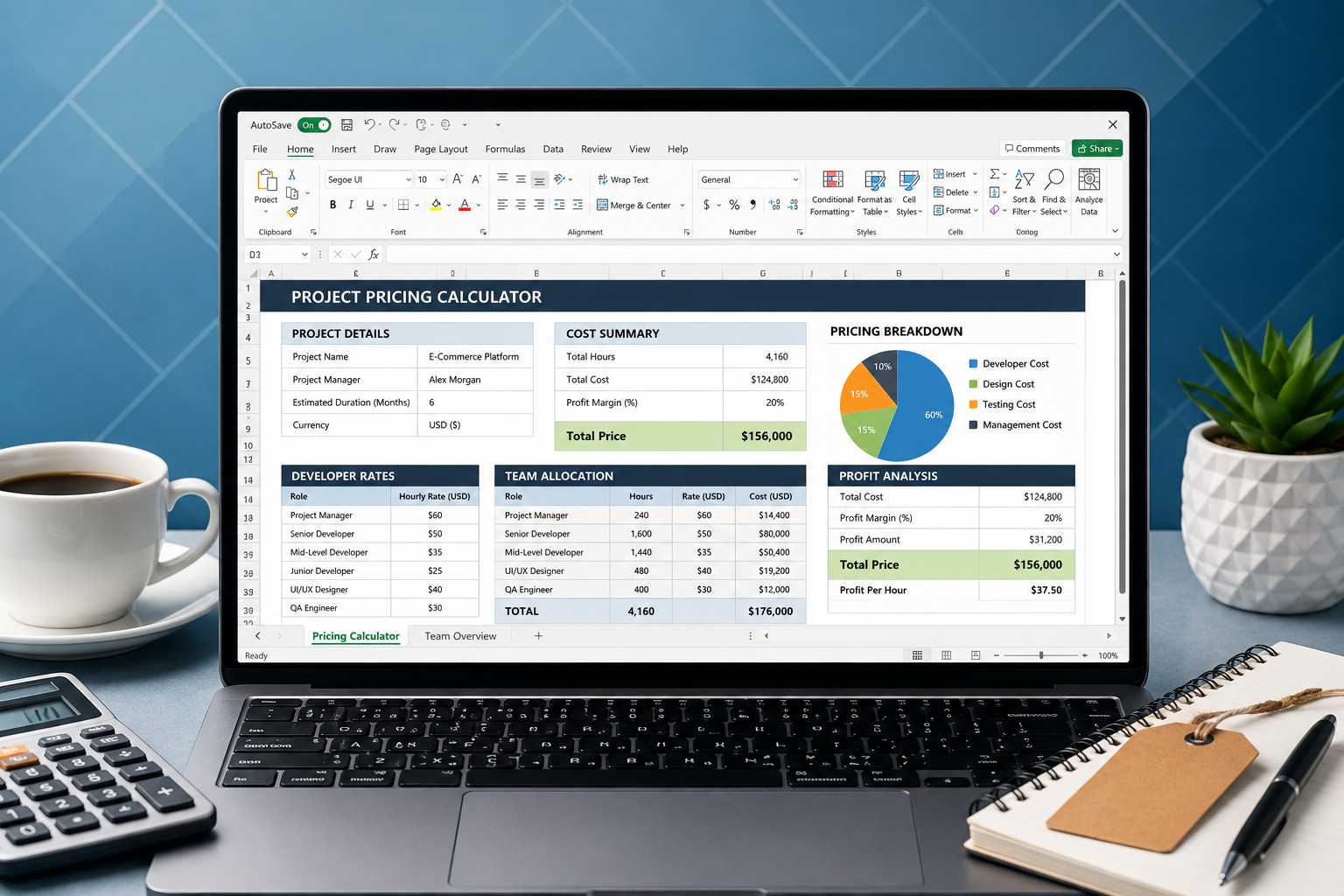
TheProject Pricing Calculator is a powerful, ready-to-use Excel spreadsheet designed to give you complete visibility into your project costs. It moves beyond simple hourly rates to aloaded-cost pricing model, ensuring every project you sell is actually profitable.
Why You Need This Template
- Eliminate Hidden Costs – Factor in rent, PM tools, admin, insurance, and benefits to reveal each developer’s actual cost per hour.
- Increase Profit Margins – Instantly see your margin on every project. Use the built-in markup and discount controls to find the sweet spot between winning bids and maximizing profit.
- Make Better Bidding Decisions – Quickly estimate project costs based on real data, not guesswork. Stop winning bids that lose you money.
- Get Team Transparency – Understand exactly how much each developer costs and how their utilization rates impact the bottom line.
What’s Inside the Template
This spreadsheet is organized into four powerful, interconnected sections:
- Team Roster A clean dashboard to input your development team’s details. Add developers, their roles, monthly salaries, benefits, and estimated utilization rates. Auto-calculated totals provide a quick snapshot of your team’s capacity and cost.
- Overhead Costs Accurately allocate your monthly business overhead. List all your monthly costs (Office Rent, PM, Software Licenses, HR, etc.) and allocate a percentage of each cost to your development team for precise cost distribution. A summary view shows total overhead and overhead cost per developer.
- Loaded Cost Calculation The heart of the tool. Combines developer salary, benefits, and their share of overhead to calculate thetrue Cost per Hour andCost per Day for each developer. Includes a suggested billable rate based on your target margin.
- Project Pricing Estimator Your project bidding engine. Select the developers, input their estimated hours, and the sheet calculates the total loaded cost. Adjust theMarkup % andDiscount % controls in real-time to see final project price and total profit margin. A helpful “Price at Different Markups” table lets you quickly decide on a competitive and profitable quote.
Who Is This Template For?
- Digital Agencies building websites, apps, and marketing campaigns.
- Startups that need to track development costs for budgeting and fundraising.
- Software Consultancies that need to create accurate client proposals.
- Freelance Developers looking to justify their rates and ensure they’re covering all their costs.
This template is 100% Excel compatible, fully editable, and ready to use.
Features at a Glance
- 📊Accurate Costing – Uncover hidden overhead costs that traditional calculators miss.
- 🛠️Easy to Use – Just input your data into the blue fields; formulas do the rest.
- 📈Real-Time Pricing – Adjust markup and discounts instantly to see your final profit.
- 💰Maximize Profit – Ensure every project contributes positively to your bottom line.
- 🔒No Subscriptions – One-time purchase, use it forever.
- 🗂️Fully Customizable – Add or remove rows to fit your team’s exact structure.
- 📥Instant Download – Get the file immediately after purchase.
- 📄Google Sheets Compatible – Upload and use it in Google Sheets with full functionality.
Frequently Asked Questions
Q: Do I need to be an Excel expert to use this?
A: No. The template is designed to be intuitive for anyone. All input fields are clearly marked in blue. Just add your team and costs, and the formulas do the rest.
Q: Does this work with Google Sheets?
A: Yes. You can easily upload and use this template in Google Sheets with full functionality. All formulas are compatible.
Q: Can I add more than 6 developers?
A: Absolutely. The template is built to be easily expandable. You can add as many rows as you need in the ‘Team Roster’ sheet, and the formulas will adjust automatically.
Q: Can I add more overhead categories?
A: Yes. The ‘Overhead Costs’ sheet allows you to insert additional rows for any expenses specific to your business.
Q: What if I need help setting it up?
A: The template includes clear instructions on the Cover sheet. All editable cells are color-coded blue, and formula cells are black. If you have any questions, I am available for support regarding the template’s functionality.
Q: What version of Excel do I need?
A: The template works with Excel 2016, 2019, Office 365, and newer versions. It is also fully compatible with Google Sheets.
Q: Is this a subscription?
A: No. This is a one-time purchase. You download the file and own it forever with no recurring fees.
What You Will Receive
- 1 xProject Pricing Calculator.xlsx – Fully functional Excel template with all formulas and four interconnected sheets.
- Instant digital download available immediately after purchase.
Terms of Use
This template is forpersonal and commercial use within your own business. You may use it to price projects for your clients. Redistribution, reselling, or sharing of the original file is strictly prohibited.
Reviews
There are no reviews yet.